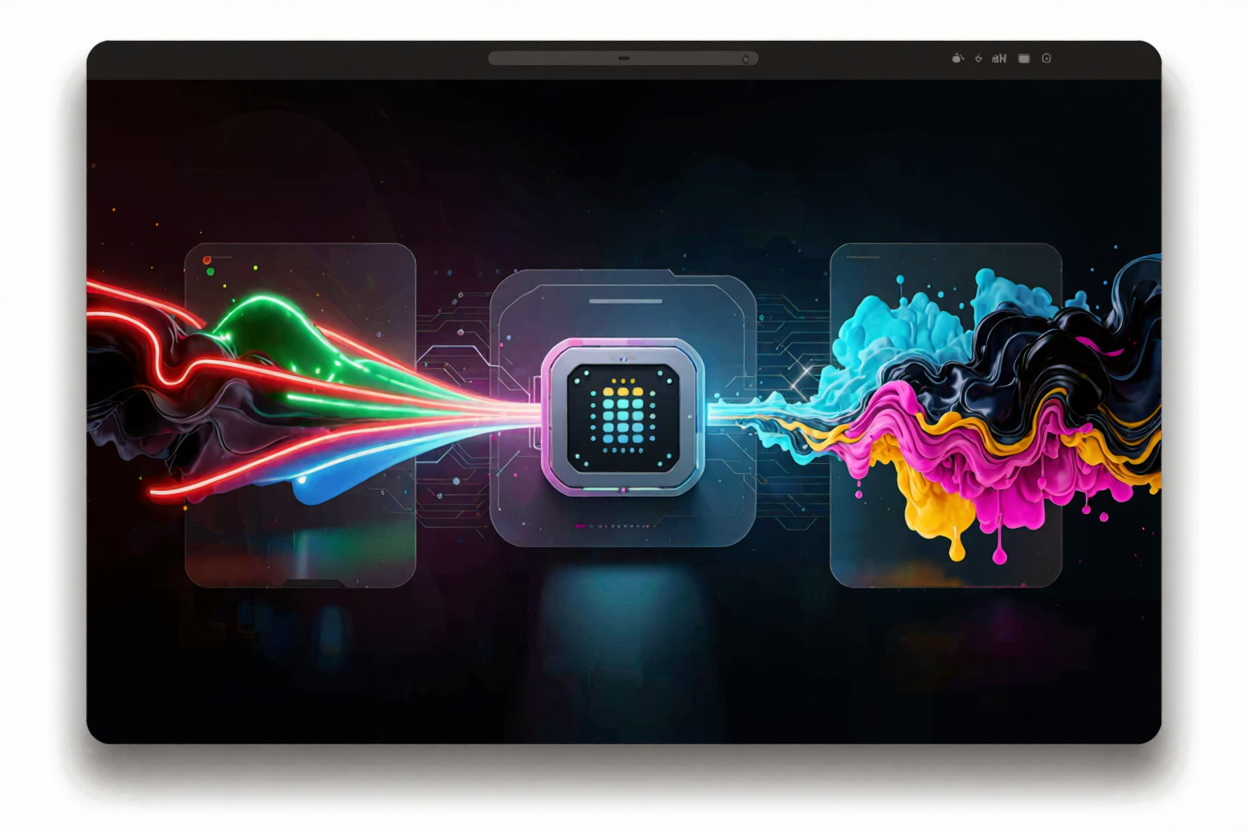
Mastering Color Space Conversion in Image Processing
Unlock the secrets of color space conversion in image processing. Learn about RGB, CMYK, and sRGB, and how to achieve accurate colors for web and print.
Understanding color space conversion is a fundamental skill for anyone working with digital images, from photographers and graphic designers to web developers. Color spaces define the range of colors an image can display or reproduce, and converting between them ensures your visuals look consistent and accurate across different devices and mediums.
Imagine capturing a vibrant photograph on your camera, only to see duller colors when you post it online or print it. This common issue often stems from a mismatch in color spaces. Properly managing these conversions is crucial for maintaining color integrity and achieving professional results.
What is Color Space?
At its core, a color space is an organized system that defines how colors are represented. Think of it as a specific language for describing colors. Different devices and applications use different color languages, which is why a color might appear one way on your monitor and another way on a printer.
Common color spaces include RGB (Red, Green, Blue) for digital displays, CMYK (Cyan, Magenta, Yellow, Key/Black) for printing, and sRGB, which is a standardized RGB color space widely used on the internet and by most consumer devices. Each has its own unique gamut, or range of colors it can express.
Why Conversion is Necessary
Color space conversion becomes necessary when an image needs to move from one environment to another. For instance, an image created in an RGB color space for a digital screen will need careful handling if it’s destined for print, which uses CMYK. Without conversion, colors can shift, appear desaturated, or even be completely off.
This process ensures that colors are translated as accurately as possible from the source color space to the destination color space. It bridges the gap between how colors are perceived digitally and how they are reproduced physically, maintaining visual fidelity.
Common Color Spaces Explained
RGB (Red, Green, Blue)
RGB is an additive color model, meaning colors are created by adding varying intensities of red, green, and blue light. It's the standard for digital displays like monitors, TVs, and cameras. When you mix all three at full intensity, you get white.
Popular variations include sRGB, which is the most common for web content and consumer electronics, and Adobe RGB, which offers a wider color gamut, particularly in greens and cyans, often preferred by professional photographers and designers.
CMYK (Cyan, Magenta, Yellow, Key/Black)
CMYK is a subtractive color model used in color printing. Here, colors are created by subtracting light from white paper using ink. Mixing all four inks theoretically produces black, though true black (Key) is added for depth and efficiency.
Converting an RGB image to CMYK is essential before sending it to a commercial printer. This process accounts for the differences in how colors are produced by light versus ink, preventing unexpected color shifts in the final printed output.
sRGB vs. Adobe RGB vs. ProPhoto RGB
sRGB is the internet standard and the default for most digital cameras and monitors. It offers a good balance of color accuracy and broad compatibility. For web images, always aim for sRGB to ensure consistent viewing across different browsers and devices.
Adobe RGB has a larger color gamut than sRGB, allowing for more vibrant greens and blues. It's often used by professionals who require a wider range of colors, especially for print or high-end photography workflows. ProPhoto RGB has an even wider gamut, encompassing nearly all visible colors, making it ideal for RAW image editing but requiring careful management due to its vastness.
The Conversion Process
Color space conversion isn't a simple one-to-one mapping. It involves complex algorithms that translate color values from one system to another while trying to preserve the visual appearance. This often includes gamut mapping, where colors that fall outside the destination color space's range are adjusted to the closest reproducible color.
Most image processing software uses ICC (International Color Consortium) profiles to facilitate these conversions. An ICC profile is a small file that describes a device's or color space's color characteristics. By embedding these profiles, software can accurately interpret and convert colors.
Challenges and Considerations
The primary challenge in color space conversion is gamut mapping. When converting from a wider gamut (like Adobe RGB) to a narrower one (like sRGB or CMYK), some colors simply cannot be reproduced. The software must decide how to handle these out-of-gamut colors, which can lead to shifts in hue, saturation, or brightness.
Another consideration is the rendering intent, which dictates how out-of-gamut colors are handled. Perceptual intent tries to preserve the visual relationship between colors, even if all colors shift slightly. Relative colorimetric intent attempts to keep in-gamut colors exact and clips out-of-gamut colors to the nearest reproducible shade. Understanding these options is key to achieving desired results.
Tools for Conversion
Many image editing software packages, such as Adobe Photoshop, GIMP, and Affinity Photo, offer robust tools for color space conversion. They allow you to assign or convert between different ICC profiles with various rendering intents. If you frequently need to [convert images online] without complex software, dedicated web tools are invaluable.
For quick and efficient conversions, especially when dealing with various image formats and sizes, an online solution can be extremely helpful. For instance, a [free image converter] like the one found on ConvertMinify.com provides a straightforward way to manage your image files and their color spaces without any software installation.
When using online tools, always be mindful of your data security and privacy. While ConvertMinify.com prioritizes user privacy, it's a good practice to use strong, unique passwords for all your online accounts, which can be easily generated using a [Password Generator]. This ensures that your digital assets and personal information remain protected.
Practical Applications
- Web Design: Always convert images to sRGB for web use. This ensures that your website visitors see colors as intended, regardless of their device or browser settings.
- Photography: Professionals often work in wider color spaces like Adobe RGB or ProPhoto RGB during editing to retain maximum color information. However, they convert to sRGB for web sharing and CMYK for print.
- Print Production: Converting to CMYK is non-negotiable for commercial printing. Working with your printer to understand their specific CMYK profiles can lead to superior results.
Utilizing a [free image converter] can streamline your workflow, making it easier to prepare images for their intended destination, whether it's a website, a social media post, or a professional print job. ConvertMinify.com offers a user-friendly platform to handle these conversions with ease.
FAQ
Q: What is the main difference between RGB and CMYK?
A: RGB is an additive color model used for digital displays, combining light to create colors. CMYK is a subtractive color model used for printing, combining inks to absorb light and create colors. Their fundamental approach to color creation is opposite.
Q: Why do my colors look different on screen versus print?
A: This discrepancy is usually due to differences in color spaces and device calibration. Monitors use RGB, while printers use CMYK. If an image isn't properly converted from RGB to CMYK with appropriate color profiles, colors can shift significantly during printing.
Q: Should I always convert my images to sRGB?
A: For web and general digital sharing, yes, sRGB is the safest choice for consistent color viewing across most devices. For professional print or high-end photography workflows, you might work in wider gamuts like Adobe RGB during editing but should convert to CMYK for print and sRGB for web.
Mastering color space conversion is a valuable skill that ensures your images look their best, no matter where they are viewed. By understanding the nuances of different color models and utilizing the right tools, you can achieve accurate and consistent color reproduction across all your projects. Start experimenting with different conversions today to see the difference for yourself and elevate the quality of your visual content.