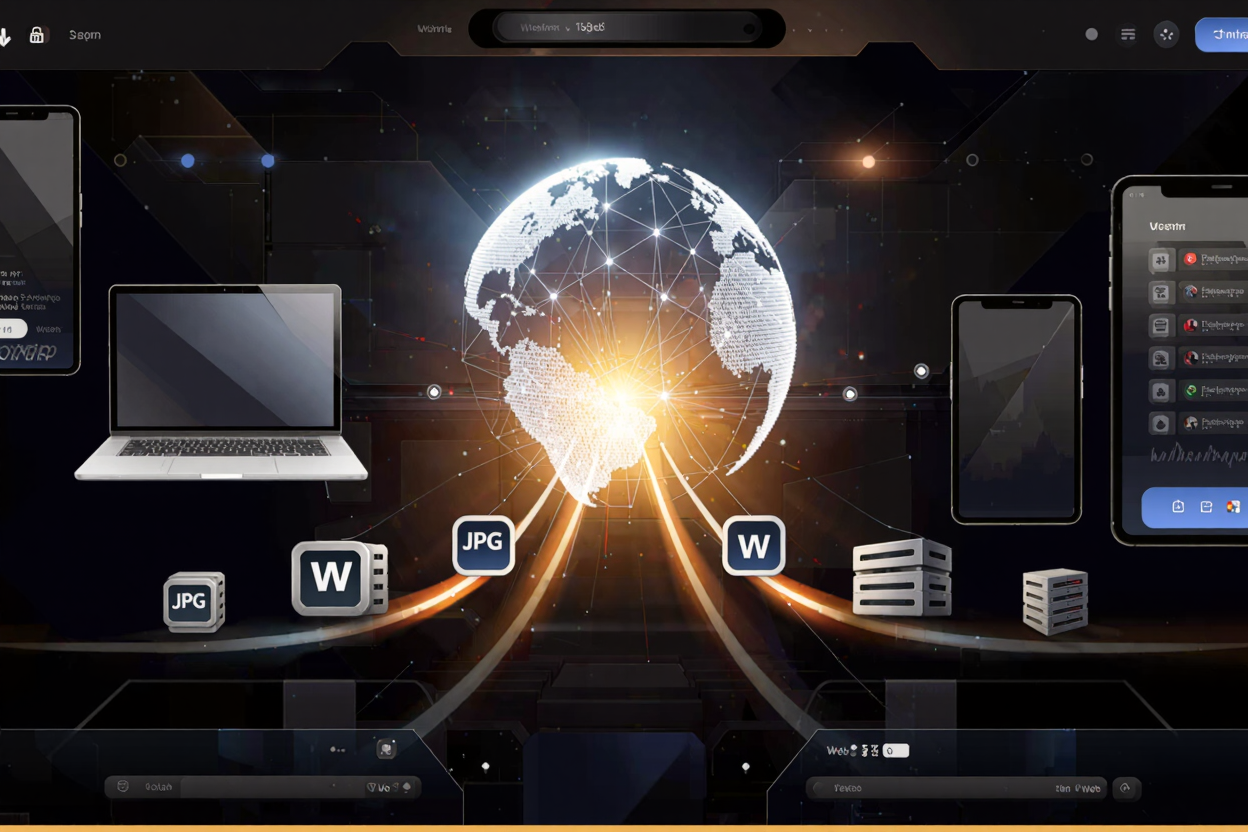
Image CDN Integration: The Complete ConvertMinify Guide
Master image CDN integration with ConvertMinify's guide. Boost website speed, SEO, and user experience through efficient image delivery and optimization.
In today’s fast-paced digital world, website performance is paramount. Slow-loading images can significantly hinder user experience, increase bounce rates, and negatively impact your search engine rankings. This is where an Image Content Delivery Network (CDN) becomes an indispensable tool for any modern website.
An Image CDN is a specialized network designed to deliver images to users quickly and efficiently, regardless of their geographical location. It optimizes and serves your images from servers closest to your visitors, dramatically reducing load times and improving overall site performance. For websites dealing with a high volume of visual content, understanding and implementing an Image CDN is not just an advantage—it’s a necessity.
Why Image CDNs are Essential for Your Website
Image CDNs offer a multitude of benefits that directly contribute to a superior website and user experience.
Performance Benefits
The most immediate impact of an Image CDN is on website speed. By caching images at edge locations worldwide, content is delivered from servers geographically closer to the user, minimizing latency. This direct improvement in load times is crucial for maintaining visitor engagement and reducing abandonment rates.
Furthermore, fast loading speeds are a key factor in Google’s Core Web Vitals, which directly influence your search engine ranking. An optimized website with quick image delivery scores higher, providing a competitive edge.
Improved User Experience
Nobody likes waiting for images to load. A smooth, fast-loading website creates a positive user experience, encouraging visitors to stay longer and explore more content. This enhanced interaction can lead to higher conversion rates and greater customer satisfaction.
SEO Advantages
Search engines prioritize fast, mobile-friendly websites. Image CDNs contribute significantly to both. Faster loading times, improved Core Web Vitals, and better user engagement signals all tell search engines that your site offers a good experience, boosting your visibility in search results.
Scalability and Reliability
As your website grows, so does the demand for image delivery. Image CDNs are built to handle massive traffic spikes and high loads without compromising performance. They distribute the load across multiple servers, ensuring your images are always available and delivered efficiently, even during peak times.
How Image CDNs Work
Understanding the mechanics of an Image CDN helps in appreciating its value. It’s a sophisticated system designed for efficiency.
Edge Locations and Caching
When a user requests an image, the CDN directs the request to the nearest “edge server” or “Point of Presence” (PoP). If the image is cached on that server, it’s delivered instantly. If not, the edge server fetches it from your origin server, caches it, and then serves it to the user.
This caching process means subsequent requests from users in the same region will receive the image directly from the edge server, bypassing the need to access your main server. This significantly reduces server load and speeds up delivery.
Image Optimization
Beyond just delivery, many Image CDNs offer advanced optimization features. This includes automatic image compression, resizing images to fit various screen sizes, and converting them to modern formats like WebP or AVIF. These optimizations reduce file sizes without sacrificing visual quality, further accelerating load times. Before uploading to a CDN, you can always use a free image converter to get a head start on optimization.
Key Features to Look for in an Image CDN
When choosing an Image CDN, consider features that align with your website’s needs.
- Automatic Optimization: Look for CDNs that automatically compress, resize, and convert images to optimal formats based on the user’s device and browser.
- Global Network: A wide distribution of edge servers ensures fast delivery to users worldwide.
- Customization & API: The ability to customize image transformations and integrate with your existing workflows via an API is highly beneficial.
- Security Features: DDoS protection, hotlinking prevention, and secure delivery protocols (HTTPS) are crucial.
- Analytics: Insights into image performance and usage can help you further optimize your strategy.
Integrating an Image CDN: A Step-by-Step Guide
Integrating an Image CDN is a straightforward process, though specifics may vary by provider.
- Choose a Provider: Research and select an Image CDN provider that best fits your budget and technical requirements. Popular options include Cloudinary, imgix, Akamai, and Cloudflare.
- Sign Up and Configure: Create an account and follow the provider’s setup instructions. This usually involves linking your website or image storage solution.
- Upload/Sync Images: Depending on the CDN, you might upload images directly, or the CDN might pull them from your existing server or storage bucket (e.g., AWS S3).
- Update Image URLs: This is the most crucial step. You’ll need to replace your existing image URLs with the CDN-generated URLs. These URLs typically include parameters for optimization (e.g.,
image.cdn.com/resize=w:500/my-image.jpg). If you need to convert images online before pushing them to the CDN, ensure you do so to maximize efficiency. - Test and Monitor: After integration, thoroughly test your website to ensure all images are loading correctly and faster. Monitor performance metrics to confirm the CDN is working as expected.
Best Practices for Image CDN Integration
To maximize the benefits of your Image CDN, follow these best practices.
- Optimize Before CDN: While CDNs optimize, pre-optimizing images with tools like a free image converter before uploading can yield even better results. This ensures your base images are as small and efficient as possible.
- Lazy Loading: Implement lazy loading for images, so they only load when they enter the user’s viewport. This reduces initial page load time and conserves bandwidth.
- Responsive Images: Use HTML’s
srcsetandsizesattributes or the<picture>element to serve different image versions based on device characteristics. Your CDN can often generate these versions automatically. - Proper Caching Headers: Configure appropriate caching headers (e.g.,
Cache-Control) for your images to ensure they are cached effectively by both the CDN and user browsers. - Monitor Performance: Regularly check your website’s performance metrics using tools like Google PageSpeed Insights or GTmetrix to identify any areas for further optimization. Also, ensure all your online accounts are secure by using strong, unique passwords generated by a reliable Password Generator.
FAQ
Q1: Is an Image CDN necessary for small websites?
A: While larger sites benefit more, even small websites can see significant improvements in speed and user experience. If your site has more than a few images, an Image CDN is a worthwhile investment for better performance and SEO.
Q2: Can an Image CDN replace image optimization plugins?
A: An Image CDN complements, rather than replaces, image optimization plugins. Plugins typically optimize images on your origin server, while CDNs handle delivery and further optimizations on the fly. Using both provides the best results.
Q3: How do I measure the impact of an Image CDN?
A: You can measure the impact using tools like Google PageSpeed Insights, GTmetrix, or WebPageTest. Look at metrics like FCP (First Contentful Paint), LCP (Largest Contentful Paint), and overall page load time before and after integration.
Integrating an Image CDN is a powerful step towards building a faster, more resilient, and user-friendly website. By offloading image delivery and leveraging advanced optimization features, you can significantly enhance performance, improve SEO, and provide an exceptional experience for your visitors. Don’t let slow images hold your website back; embrace the power of an Image CDN today.
Ready to optimize your website’s images? Explore ConvertMinify’s tools to prepare your images for seamless CDN integration and unlock peak performance!